Showing posts with label diy. Show all posts

Wednesday, October 17, 2012

How to Make a Tri-fold Brochure & Free Template

So a bridal boutique asked me to design a tri-fold brochure for their business. I've never done a brochure before but I do other things with graphic design so I knew I could come up with something that would look nice. She had a sketch of what she wanted it to say & where so that helped get things started. I ended up moving the text around & re-wording it slightly to tie in with my final design but I think it turned out really nice. So here's how I went about going from a blank page to the finished product below:

How to Make a Tri-Fold Brochure:

0. Decide if you really want to make it from scratch. There is pro's & cons to either. If you aren;t very computer savvy or good with design just getting a template & customizing it might be the better route for you to go. There's lots of modern & inexpensive templates to choose from online, google Brochure design templates

1.  There's lots of brochure sizes these days. So you'll need to decide on the format you want to use or what will best fit your business style, be easiest to print & showcase your information the best? The more modern approach is the single fold brochure like the one pictured to the right from Design Aglow.  So pick a style (the one I made is a tri-fold). Next get a blank sheet of paper & fold it into the shape you decided on & sketch things out including the information & design elements you want to include & more or less where you want them. 

2. On a separate sheet of paper write out the things that you want the brochure to cover. Then go back over what you wrote & ask these questions:
      
         1. Did I answer all the basic & important questions people need answers to?
         2. Can people tell right away what my business is or what the brochures about?
         3. Did I include contact information like a phone number, website address etc.
         4. Did I balance necessary information & still keep it interesting to read?
         5. If I were a stranger reading this brochure would I keep reading it?
         6. Would I throw it away after reading it or would I hold onto it & why?

*On her brochure she needed lots of information on there but thats not always fun to read. So I used some modern & fun fonts & typography to keep it visually appealing. Make it informative & fun by adding tips, a spot to write their appointment time & resources that apply to the product/service you offer (as a Photographer I might add useful wedding blog links etc). This helps make your brochure more indispensable & more likely to stay out of the garbage.

3. Take the things you decided to put in the brochure & start writing them down on the folded brochure paper. Decide where things look best & where you might need to think of more or less to say to make it fit properly. Decide where a graphic or image might look good. 


4. Download a template or set a template up in whatever program your going to design the brochure in. Theres several you can use, even Microsoft Word if thats all you have. I used Photoshop in this case.  You'll want to make sure its sized to 8.5x11" or check with whoever you are going to print through on the exact size needed & whether they want you to add a bleed. (a bleed is a small margin, usually a 1/4" thats left around the edges of the document. You dont put any text or images in this 1/4" of space, only your background if you have one. This is so that as the brochure prints, & the paper moves around as many sheets go through because it cant be exactly the same every time so this leaves a margin for printer error essentially.) Here's a free download for a Photoshop Brochure Template

*The template is slightly larger than 8.5x11 so make sure to resize it in your program before you get started if you want it that size. In Word page setup & Photoshop Image, image size then make sure its set to inches not pixels & change it. Make sure its also still 300 DPI.

5.  Now you need to decide who your demographic (target audience) will be for the brochure.  Whats important to this demographic? Younger demographics might want it to be more fun & put importance on the overall design whereas older demographics might appreciate it being informational & more easy to read versus too funky with design. 

6.  Whats your business brand? This brochure is an extension of your brand. What do want it to say about your business? Does it tie into the rest of your marketing materials or logo & signage?

7. Find inspiration. If you aren't a graphic designer it might be hard to sit down & try & figure out how to make a functional & graphically beautiful brochure. Don't reinvent the wheel. What type of brochure are you making? Is it modern? Vintage? Colorful? Google it. Modern photography marketing sets. Masculine graphic design (if its something targeting men). For this brochure I googled Marketing Sets for Photography, Vintage Cards, Bridal Business Brochures etc.


Just because you are making a brochure doesn't mean you can only look at brochures. A lot of my inspiration came from looking at Engagement cards of Etsy & different products on Simplicity Design etc. Take the things you like & the things you don't like & use it to get you started on your project. You can make an inspiration board on Pintrest for your brochure so you can keep track of all the things you found & want to use as inspiration. Click here & get one started!
8. Download a few design elements so you aren't limited & can play around to get it right. Some things I downloaded are Fonts & Shapes like the picture frame & chandelier. Click here to go to my Pintrest board with Free Fonts.

9. Try to make sure you balance your brochure. Don't put to much on one side & try to space everything out & keep it easy to read. You want good flow! Don't use 1 font for the entire brochure or if you do use Kerning to make variations in the font (like making it taller or more or less spread out between the letters). the graphic design rule is to limit use to is 2-3 fonts. I used 3 for my brochure including Belta Light & Strangelove which you can google & download too. And remember the font doesn't have to be one color! I used a dark navy color & a sage green to add more definition between the sections.

10. Once you get everything laid out make sure you proof read it! Nothing stinks worse then getting it to print & finding a typo! No bueno. For the record I found over 10 in mine when I proofread it!

11. If you have someone that can re-proof it & give you some input I'd take the time for that. In this case she & I went back & forth & changed a few details to get it right. 

12. Make sure you save to the proper color space...likely to be CMYK but in some cases RGB. Color space depends on the printer & the inks they are using. Reg printers & printing at home would be RGB but for most of the companies that do mass printing its CMYK. They will usually have it noted somewhere in the info on their site so just make sure to double check so your colors aren't completely off when you get your brochures back. Last thing you need to do is sharpen that puppy & ship it out! Make sure you zoom in at 100% to see how the sharpening your applying is affecting the text & image....you don't want to over sharpen it will look icky!

Tuesday, November 1, 2011

How to Make a Card in Photoshop & some free fonts & digital papers


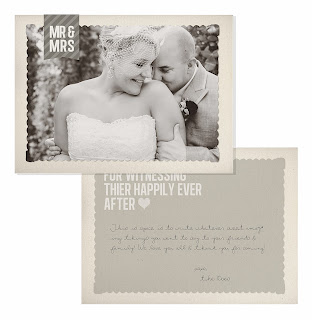
I buy a lot of card templates when Im in a hurry & I need ones for HS Senior grad announcements or Thank You cards but when I have time I love to make them from scratch. The one pictures to the left is one I made that's for sell on Etsy if you want to check out my Etsy store click the image or here. A lot of times I start off not really sure what direction I want to go with the design. You can easily find inspiration just by looking at elements like certain fonts will make me want to design something a certain way or Ill see a lace or watercolor brush that will inspire me. 

When I first started designing cards I knew how to use Photoshop but I didn't know how to add the bleed guidelines or use clipping masks. In trying to find a good tutorial I came across one from Finally Friday but you can google how to use clipping masks & find lots of good ones or I posted mine below which covers all aspects of making a card from scratch. The hardest part (&its not so hard actually) is learning how to use clipping masks & understanding where to add your image in the layers panel. The tutorial is great at explaining it as simply as possible & helps you master these tools. The card above is a 5x7 flat card that I made for Thank You cards for a bride & groom. This templates available for sale on my Etsy store, click the image to visit. Ill also be posting free templates as I make new designs, so make sure to subscribe to this blog to get them as they come out.

Making a Card:

1. First & foremost you need to have basic user knowledge of Photoshop or this can all be very confusing. things you;ll want to know already include where the tools & layers panels are, how layers work in general, how to use the text & free transform tools & most importantly how to use Clipping Masks. Oh, & you'll want to actually have Photoshop or another Adobe program for graphic design such as InDesign. 

2. The second thing is you'll need to start a small collections of Digital Papers if you don't already have some. I've included some below but you can google digital papers & find a bunch more easily. I recommend making a folder called design tools & sub folders labeled: Papers, textures, shapes, brushes etc. As your collections grows you;ll want to have it organized so you can find things easier. 

3.  Next you'll need Photoshop brushes & shapes. Brushes & shapes in Photoshop can be all kinds of awesome designs from flowers to arrows to vintage scroll banners. Make sure your getting high res files or else they will look blurry when you use them & also some brushes can only be used at very small sizes so try to check that when your downloading them. A brush is trickier to use then shapes are but there's a lot more options for brushes. They you especially want to get the high-res ones & not bother downloading any that aren't because they can often only be really small...too small usually...to use them for what you want them for or so has been my luck.

4. The last creative element you'll need is lots fonts. The basic ones that come on your computer are boring & overused. My only warning is seriously give yourself a time limit to look through fonts, don't spend a day downloading fonts, there's so many & its easy to get lost in them, I'm guilty! Here's some that I really like below. You'll also want to learn how to use font spacing & kerning in Photoshop to make more interesting designs. Pintrest has tons of great examples of this & you can google Typography for lots more examples & inspiration. Some sites for free fonts include Google Fonts & font garden.  Here's some cool ones to get you started just click the picture to go to 'A Subtle Revelry's' Blog & download:


5. Also its important to note that you will probably be completely lost with what to do after you click the 'Download' button for these different creative elements if you do not have something that will unzip the files after its downloaded. You'll need Winrar or any other unzipping program, here's a link for a free trial to Winrar:   Download Winrar

6. After the file downloads to your computer it should automatically open in Winrar, if not go to your computer, downloads & open it manually by selecting Winrar as the program to use when you right click the file. Once the file unzips you'll double click the main file (a lot of them come with usage  terms & website links so look for the actual file). When you double click the Blue & White icon for the Brushes & Shapes it will automatically open in Photoshop. If it doesn't close Photoshop, open it again & re-check (or if you are Photoshop savvy find the little cog wheel icon in the Brushes, Shapes or Actions areas (they all have one). This is the settings, click it & select load Brushes/Shapes etc). 

Here's a few links below to brushes & papers I like, just click the picture to go the site. Also check out Deviant Art & Brusheezy for lots of free everything (paper's brushes, shapes). Just type Photoshop Shapes or Photoshop Brushes, Textures etc. Free digital papers are easiest to find on Pinterest by searching "Free Digital Paper Packs", if you google this term it still pops up a lot of ones you have to buy which is fine but not free. Etsy has tons of beautiful paper packs from designers. Lastly check out Creative Market for modern & beautiful graphic design elements. Just want to mention again, make sure when you are looking & downloading papers & brushes that you download high-res stuff so it doesn't look blurry when you use it.  


7. Ok, so now you have some Papers & Brushes & can get started making your own cards. The first step in Photoshop is to set your parameters. When you open Photoshop you'll want to select New instead of open. For whatever size card you are making you will always need to add you bleed area. Your bleed area ensures that as your cards or design is printed there wont be any white edges. It allows for printer error because your design won't stay right in the center of the printer & if it veers off course there need to be a little extra of the design to cover that space. So for a 5x7 card you would actually make the size 5.25" x 7.25" instead of 5" x 7" so you have the needed 1/4" bleed area around the edges for printing. Next you will need to add the ruler guidelines in Photoshop so you know where the end of your design is & where the bleed actually begins. You will want to extend the background into the bleed but keep any text or important parts of any images inside the bleed so they don't get cutoff. 

Here's a video showing how how to make a card from start to finish:


Wednesday, December 1, 2010

DIY Photography Backdrops


So as I've been getting deeper into my Photography I've noticed my wallet getting lighter & lighter & so has my husband who keeps patting me down & searching my office to see what new Photography equipment I may have stowed away while he wasn't looking. 

I realized a lot of the backdrops I was seeing that had me drooling were things I could easily do myself. So I started thinking & looking for DIY solutions & I've came across some really great ideas. Some are good only for amateur photography but some of the results could give professional products a run for the money. If you decide you don't have the time to make one or you want something more durable (many of these require a lot of time to set & tear down & wouldn't be able to be used several times) then check out companies like Drop It Modern, Lemon Drop Stop & Backdrop Outlet. They also have things like faux wood floors & wall decals/wallpaper  which is something that'd be harder to do on your own & can make a really dynamic background. When I first started out I kept seeing wood floors & I thought people were buying wood flooring & putting it together for the backdrops which you could do but it'd be so much more work & Im lazy sometimes Im not gonna lie. The faux floors are a durable material Id compare it to chef matts that are kinda foamy & comfy & you can roll it up & roll out : p  Also check out Savage papers, they are a really great price on Amazon but shipping does add a bit to the price. It comes to about $70 I think with shipping but they are really great if you want a seamless backdrop & you can use them several times.  

So on the DIY's....here's some miscellaneous ideas including christmas light strands, lace table clothes (you can find these easily at goodwill) & crepe paper or fabric streamers. Some of these are my actual photos but for backdrops I haven't made yet the photos are from Pintrest (go to my backdrop board on Pintrest all these photos are there if you want to see who took the images)

Fabric Store Backdrops  $20-100

The backdrops that you can buy from drop it modern & other backdrop vendors appeal is that they are usually made of heavier-less inclined to wrinkle fabric & are very wide. With some effort though you can find cheaper alternatives at most fabric stores. For a simple & plain backdrop you can use for any shoot I recommend starting with some Muslin. It's a plain fabric that's heavy & can usually be found in wider sizes than other fabrics. Second, & this can be expensive if you don't do it right but try looking at the sale bin & find Upholstery fabric which is heavier & usually has really beautiful designs. I go to Hobby Lobby & have seen it for 40-60% off. The added bonus is it can usually be found in wider sizes like the muslin.

Next check out fun patterned cotton fabrics. You can find some pretty awesome ones for cheap. Cotton fabrics are usually only available in smaller sizes but if you photograph babies its perfect. You could also always try to align two pieces & either sew or use iron tape to make it wider. The picture on the right is a sequined backdrop from Drop It Modern. Its pretty awesome but it's also really expensive. Hobby Lobby has a gold sequin fabric that I bought & used which worked awesome. I used my 40% off coupon they always have online & it was only $25 which is a lot better then $400 which is what they sell for online. It wasn't very wide though so I took it my friend who sews & had her sew the two pieces together & Voila!

To make your new backdrop easy to use decide how you want to be able to hang it. You can hem the top so it slides right on to the stands crossbar or not sew it & just clamp it to the bar with industrial clamps (you can find them at home improvement stores) or use velcro if you have a studio where you'll be using them. Just velcro the wall & the top & bottom of your fabric to quickly hang it on the wall. 


V-Flats

I give credit to Sue Bryce for making this one popular. She is an amazing Glamour Photographer. She primarily uses these in her shoots & her work is gorgeous. The picture on the left could be done easily with one or two pieces & some wrapping paper or fabric decoupaged to it for a shabby chic look. They are super simple to make & really cost effective.  Its basically two tall pieces wedged together with stands & painted. Watch the video below to see how to make them. I also highly suggest keeping one painted white on one side & black on the other for one of the most effective reflectors you've ever seen. It works amazing. 


Curtains

This is super fun & you can use any type....I've used Silk & made a Photobooth backdrop, you can use sheer or velvet curtains for Boudoir. The ones on the left are a grey velvet I bought at Ikea & they are over 100" long which I love for tall dramatic shots. Ive set up sheer curtains outside on my backdrop stand & let them blow in the wind with the sunset in the background, it makes a beautiful backdrop for Engagement shots.  The only downside to curtains, is that they aren't usually very long so you can't extend them under your subject, only behind them. If you have an awesome floor you don't mind showing off (like really nice hardwood or cool tile) then it's not a big deal & you can make it look really nice still. Your other option is to zoom in & get from the waist or shoulders up. 

If you have a sunny window use it! If it's at your house, studio or a location your shooting at. Instead of hanging them on a stand put your subject by the window & let the beautiful backlit sunshine reign. I do this a lot for head shots & brides but you could use it for babies, portraits  families etc. 

The picture on the right is something I see at weddings a lot too & I've used it as a backdrop for photos for Christmas events & I've seen it used for a bridal shoot to capture the dresses. So simple with just some Christmas lights hanging off the stand & some sheer curtains in front of it. If you can't find sheer curtains there's plenty of this material at the fabric store & in that case you could buy it much longer so you can fit more people in the picture (the higher the stand the farther back you can get). Id go right after Christmas & buy a bunch of them on sale for 60% off. Lowe's had a long strand on a reel that winds back up on sale last year that I picked up, I would try to get one long enough you don't have to have a bunch of strands plugged together because it might be hard to hide the plugged in parts when your trying to drape it on the stand. 
A little tip too if you want to do this is to use a lens with a wide aperture so you get the lights blurry & dreamy. The fabric over the lights will help with this but a wide lens will soften the light's even more.  


Newspapers, Magazines, Book Pages
  
So simple & great for any shoot really...fashion, family, babies, seniors. Get creative! I've seen it all. You can use newspaper or old book pages for a vintage feel. Glossy magazines pages would look amazing for a fashion or Editorial shoot. Jasmin Star used this idea in her promo video & it rocks! The whole wall behind her was covered in magazine pages. If you don't have a bunch of books or magazines hanging around make a trip to goodwill first! I always see a ton of awesome magazines & books there that would be perfect for this & they are so inexpensive. To hang it i'd use little squares of painters tape (so its easily removable without damaging the wall) & just overlap the pages slightly to cover the tape. They have the blue stuff or the cream colored one, go for the cream shade since if it shows a little it won't be as noticeable. If you want to be able to reuse the backdrop setup more then once & you don;t have a studio or home wall where you can leave it hanging full time try the V-Flat concept. Lowe's has the polystyrene  & you can just glue the pages to the two pieces of that to make a corner area or add feet to the pieces so they can make a flat wall & stand up on their own.  


A Wall

If you can't find anything else or even if you can, don't underestimate the power of a wall! I see Fashion photographers use sides of buildings & warehouses as the background behind the model, I've used old worn out walls with peeling paint of Senior pictures or colorful walls for fun shots. In one of the pictures below its shows fun prints on the wall....I like the idea of a wall with some fun decals or you could enlarge & vintage vector shapes on deviant art & print them yourself. Also buying construction paper & cutting out some fun shapes or circles is easy enough & as you can see in the picture below it looks fun & modern. The dollar store, party supply stores & craft shops have a lot of paper things you can use on the walls as well like the pinwheels. Metallic or patterned wrapping paper too! Id cut some gold circles out of that for a simple & classy wall dress up.  


Linoleum


A lot of photographers use the paper backdrops. They are about $70 which isnt too bad except that you go through them pretty fast & it can start to add up. Especially with white ones! Heres something I learned from a very successful & large studio....use linoleum. You can usually find some uglier rolls of it on sale at Home Depot or Lowe's & a lot of times they have stuff called Contractor Rolls which is really cheap. 


Go to the paint section & buy a can of Satin White paint (I like Satin because Flat gets dirtier faster & glossy is too shiny with your lighting). Take your paint & paint the back of the linoleum with the white paint, let it dry then roll it up & store it until your ready to use it. Keep your paint & as the backdrop gets dirty over time you can re-paint it to make it brand new again : ) 

To store the backdrop Id buy some pvc pipe the length of the linoleum. Duct tape the top of the linoleum to the tube so that it keeps it straight & when your done using your backdrop you can roll it up. You can also find cardboard mailer tubes or larger pvc to put your backdrop in to keep it clean when you arent using it. 


Lace Table Cloth from Goodwill


Balloons


Ribbons


Crepe Paper & Paper Decorations


For more ideas check out my Pintrest board that I have just for Backdrop ideas. Get crazy & have fun with it! If you've seen something that'd work great or have found online stores with awesome prices on fabric & paper supplies, share it in the comments! 


Blogging tips